Photography AI: A Practical Guide for Product Brands
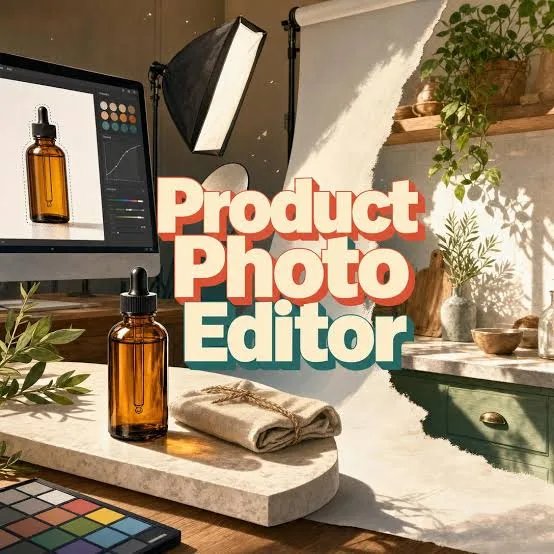
Photography AI: A Practical Guide for Product Brands
Photography AI is a set of tools that generate, edit, or enhance product images using artificial intelligence instead of a full studio shoot. For e-commerce and retail brands, it means you can take one real product photo and produce dozens of polished variations — different backgrounds, lighting, seasons, and ad formats — without rebooking a photographer every time.
This guide is for product business owners and marketers who want practical answers, not hype. Below, we cover what photography AI actually does well, where it still struggles, how to use it without wrecking your brand, and the workflow that makes it worth your time.
[IMAGE: Side-by-side comparison of a plain smartphone product photo on the left and an AI-enhanced studio-style version on the right]
What is photography AI and how does it work?
Photography AI refers to software that uses trained models to create or transform product images. Instead of staging a physical scene, you give the tool an input — usually a photo or a text prompt — and it generates a finished image.
Most tools fall into a few buckets. Some remove and replace backgrounds, placing your product on a marble counter, a festive table, or a clean gradient. Others relight the scene, sharpen details, or upscale low-resolution shots. The newest category generates entire lifestyle scenes and even short video clips from a single still.
The key thing to understand is that the model does not "know" your product. It works from the pixels you feed it, which is why starting with a clear, well-framed photo matters more than almost anything else. Garbage in still means garbage out — AI just produces it faster.
For product brands, the practical value is speed and volume. A task that once meant a half-day shoot and a week of editing can become an afternoon of generating and selecting options.
When should a product brand use photography AI?
Use photography AI when you need many image variations quickly, when budgets are tight, or when you are testing creative before committing to a full shoot. It shines in exactly the situations where traditional photography is slowest and most expensive.
Seasonal campaigns are the clearest case. If you sell the same mug all year, you still want it styled for spring gifting, a monsoon cosy-at-home theme, Diwali or Christmas gifting sets, and a summer clearance. Reshooting one product four ways is wasteful; regenerating backgrounds and moods is not.
Marketplace and catalogue work is another strong fit. Platforms like Amazon, Shopify stores, and Instagram shops demand consistent, clean imagery across hundreds of SKUs. AI can standardise backgrounds and aspect ratios at scale.
Ad testing also benefits enormously. Running five ad creatives to see which hook lands used to be a creative bottleneck. With photography AI you can produce the variants in an afternoon and let the data decide.
[IMAGE: A single product shown in four seasonal styles — spring florals, monsoon indoor, Diwali festive, summer bright]
When should you still hire a real photographer?
You should still shoot real photography when the texture, fit, or human interaction of a product is central to the sale, or when you need your hero brand imagery to feel unmistakably authentic. AI is a complement, not a full replacement.
Fashion and apparel on real models is the obvious example. How fabric drapes on a moving body, how a shoe creases when walking, how jewellery catches light on actual skin — these subtleties are where generated imagery can look slightly "off" to a careful eye.
Food and anything where appetite appeal depends on real steam, melt, or freshness often performs better shot live. AI can style a packaged product beautifully, but a fresh dish benefits from a camera.
Hero and campaign anchor images that define your brand for a season are also worth a real shoot. You can then use photography AI to extend that look across dozens of secondary assets, which is the most cost-effective combination.
The honest rule: use real photography for trust-critical, texture-heavy, or human moments, and use AI to multiply and adapt everything else.
How do you get good results from photography AI?
Good results come from a strong input photo and specific, concrete instructions. The quality of your starting image and prompt determines almost everything about the output.
Start with a sharp, evenly lit photo of your product against a simple background. Avoid harsh shadows, cluttered scenes, and motion blur. The clearer the product edges, the cleaner the AI can cut it out and restyle it.
Be specific in your prompts. "Nice background" produces generic results. "Warm wooden table, soft morning light from the left, a few marigold petals, shallow depth of field" gives the model something to work with and keeps outputs on-brand.
Generate in batches and curate ruthlessly. Expect to discard a good portion of any batch — that is normal. The workflow is to produce many, keep the few that are genuinely strong, and refine from there.
This is where a purpose-built tool helps. QuadraPost lets you upload a real product photo and generate editable image and video campaign options that follow your brand colours and tone, so the outputs stay consistent instead of looking like random AI art.
How do you keep AI images on-brand and consistent?
Keep AI images on-brand by locking your core brand elements — colours, fonts, tone, and recurring props — and applying them across every generated asset. Consistency is what separates a believable brand from a scattered one.
Define a short visual guide before you generate anything: your two or three core colours, the mood words that describe your brand (for example "calm and premium" versus "playful and loud"), and any signature background or prop you reuse.
Feed those elements into every generation. If your brand green appears in your logo, your packaging, and your ad backgrounds, a shopper starts to recognise you across a crowded feed. Random backgrounds break that recognition.
Review text and detail carefully. AI can distort small text, logos, and fine product features. Always inspect generated images at full size before publishing, and fix anything that misrepresents the actual product.
[IMAGE: A grid of six ad creatives for one brand, all sharing the same accent colour and typographic style]
How much does photography AI cost compared to a studio shoot?
Photography AI is typically far cheaper per image than a traditional shoot, though exact costs depend on the tool and your volume. The real saving is not just money — it is the time and coordination you no longer spend.
A traditional product shoot carries stacked costs: photographer fees, studio rental, props, a stylist, travel, and editing. Even a modest shoot represents a meaningful day of expense and planning, and reshoots multiply it.
Photography AI tools usually run on a subscription or credit model, where each generation costs a small fraction of a studio image. For a brand producing high volumes of SKU and seasonal variations, the difference compounds quickly.
Be realistic, though. AI does not make photography free — your time to prompt, curate, and refine still counts, and you may still invest in occasional real shoots for hero imagery. The best framing is cost reallocation: spend less on routine variation work, and invest where real photography genuinely adds value.
What is a practical photography AI workflow for a small brand?
A practical workflow is: capture one clean photo, generate branded variations, curate the best, adapt them per channel, and publish. Keep it simple and repeatable so it fits a busy week.
First, capture. Shoot each product once on a plain surface in good light — a window and a white sheet are enough to start.
Second, generate. Upload that photo into your tool, apply your brand colours and mood, and produce a batch of backgrounds and formats for the campaign you are running.
Third, curate and adapt. Pick the strongest few, then resize for where they will live — square for the Instagram grid, vertical for Stories and Reels, wide for your website banner, and clean for marketplace listings.
Finally, publish and learn. Post across your channels, watch which creatives perform, and feed that insight into your next batch. QuadraPost supports this loop by generating editable image and video options from one upload, so you can move from a single product shot to a channel-ready set without starting over each time.
Conclusion
Photography AI will not replace every photographer, and it should not. What it does is remove the slow, expensive, repetitive parts of product imagery — the endless seasonal variations, the per-SKU consistency, the ad creative testing — so you can move faster and spend your real-shoot budget where it counts.
Start with one clean photo, keep your brand elements consistent, curate honestly, and treat AI as a multiplier rather than a magic button. Do that, and a one-person brand can produce the visual output of a much larger team.
Ready to turn one product photo into a full campaign? Upload a real product shot and generate editable, on-brand image and video options in minutes. Start your free trial with QuadraPost.
FAQ
Can photography AI work from just one product photo?
Yes. Most modern tools can take a single clear product photo and generate multiple variations — new backgrounds, lighting, seasonal styling, and ad formats. The cleaner and sharper your original photo, the better the results, since the AI works from the pixels you provide.
Does photography AI replace hiring a photographer?
Not entirely. It replaces slow, repetitive work like seasonal variations and per-SKU consistency, but real photography is still better for texture-heavy products, food, apparel on real models, and hero brand images. Most brands use both: a real shoot for anchors, AI to extend the look.
How do I stop AI product images from looking fake or off-brand?
Start with a high-quality input photo, write specific prompts, and lock your brand colours, fonts, and mood across every generation. Always review images at full size for distorted text, logos, or product details before publishing, and discard anything that misrepresents the product.
Is photography AI cheaper than a studio shoot?
Usually yes, per image. Tools typically charge a subscription or credits that cost a fraction of a full shoot's photographer, studio, props, and editing fees. The bigger saving is time, though your effort to prompt and curate still counts, so treat it as reallocating budget rather than making imagery free.