AI Photo Generator: A Practical Guide for Brands
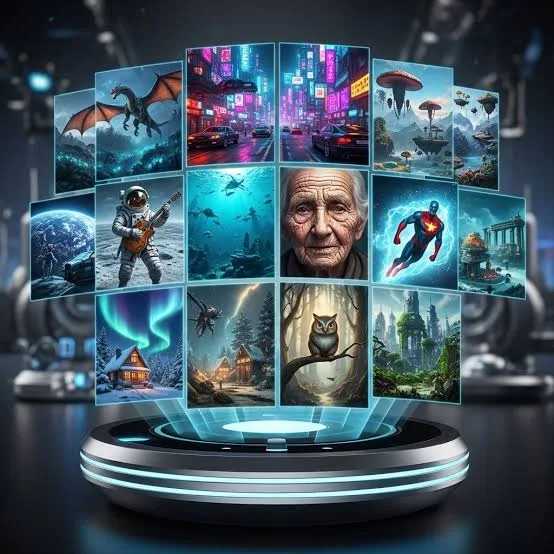
An AI photo generator is a tool that creates or transforms product images using machine learning, often from a text prompt or an existing photo. For product businesses, it means you can produce campaign-ready visuals without booking a studio, a photographer, or a full day of setup.
This guide is written for e-commerce sellers, retail brands, and small marketing teams who need a steady stream of good images and don't have the budget for constant photoshoots. We'll cover what these tools actually do well, where they fall short, and how to get usable results instead of generic, obviously-fake pictures.
[IMAGE: Split-screen showing a plain smartphone photo of a product on a desk next to a polished AI-generated version on a styled background]
What Is an AI Photo Generator and How Does It Work?
An AI photo generator is software that produces images from inputs like text descriptions or reference photos. It uses models trained on large image datasets to predict what a described or edited scene should look like, then renders it as a new picture.
There are two broad types that matter for product brands. The first is text-to-image, where you type a description and the tool invents a scene from scratch. The second is image-to-image, where you upload a real product photo and the tool restyles the background, lighting, or setting while keeping the product recognisable.
For most product businesses, image-to-image is the more reliable path. Inventing a product from a text prompt rarely matches your actual item, but transforming a real photo keeps the label, shape, and colour accurate while improving everything around it.
Why Would a Product Business Use an AI Photo Generator?
The main reason is speed and cost: you can produce dozens of on-brand images in the time a single traditional shoot would take. For brands that launch new SKUs, run frequent promotions, or sell across many channels, that cadence is hard to match manually.
Consider the seasonal pressure most retailers face. You often need fresh visuals for back-to-school, summer sales, year-end holidays, and regional festivals, each with its own mood and palette. An AI photo generator lets you reskin the same core product shot for each moment without starting from zero.
It also helps with channel-specific formatting. A square image for Instagram, a tall frame for Stories and Reels, a wide banner for your homepage, and a clean white-background version for a marketplace listing are all different crops and compositions from the same product.
[IMAGE: One product shown in four seasonal variants — spring pastels, summer bright, autumn warm tones, and festive sparkle]
QuadraPost is built around this workflow: you upload a real product photo and generate editable image and video campaign options that use your brand colours and tone, so the output stays consistent across every season and channel.
How Do I Get Good Results From an AI Photo Generator?
Good results start with a clean source photo and a specific prompt. The tool can only work with what you give it, so a well-lit, in-focus product shot on a simple background produces far better output than a cluttered, blurry one.
Be concrete in your description. Instead of "nice background," specify the surface, lighting, mood, and props: "matte ceramic mug on a pale oak table, soft morning light from the left, a few coffee beans scattered nearby." Specifics give the model clear direction and reduce generic filler.
Iterate in small steps rather than rewriting everything at once. If the lighting is right but the background colour is off, change only the colour in your next prompt so you can tell what each adjustment does.
Finally, always generate several options and compare. The strength of these tools is volume, so produce five or six variations and pick the one that looks most natural and most on-brand, rather than accepting the first result.
What Are the Limitations I Should Watch For?
AI photo generators struggle most with fine detail, text, and exact product accuracy. Small logos can smear, printed text on packaging often comes out garbled, and intricate patterns may distort, so always zoom in and check before publishing.
Hands, reflections, and complex materials like glass or jewellery are also common failure points. If your product has these elements, expect to generate more options and reject more of them than you would for a simple, solid-shaped item.
There's also an authenticity question. Shoppers are increasingly good at spotting over-polished, slightly unreal images, and a picture that misrepresents your product can lead to returns and lost trust. Use AI to present your real item attractively, not to invent features it doesn't have.
Treat AI output as a strong draft, not an untouchable final. A quick human review for accuracy and brand fit is what separates professional results from the obviously-generated images that make customers suspicious.
How Do I Keep AI Images On-Brand and Consistent?
Consistency comes from locking your brand elements before you generate and reviewing against them afterwards. Define your core colours, typical lighting style, and overall tone, then apply those same rules to every image you produce.
Colour is the easiest lever. If your brand palette is warm terracotta and cream, specify those tones in your prompts and reject outputs that drift toward cool blues or neon, even if the composition is otherwise good.
Build a small library of prompt "recipes" that work for your brand. Once you find a background style and lighting description that matches your look, reuse and tweak it rather than reinventing a prompt each time.
[IMAGE: A brand style sheet showing colour swatches beside three matching product images generated in the same lighting style]
This is also where a purpose-built studio helps. With QuadraPost you work from your actual product photo and your brand colours, and the generated options remain editable, so keeping a consistent look across a whole campaign takes far less manual correction.
How Can I Turn AI Photos Into Full Campaigns?
A single image rarely makes a campaign; you need a coordinated set across formats and channels. Start from one strong product visual, then derive the variants you need: social posts, Stories, a web banner, an email header, and a marketplace listing image.
Plan around your calendar. Map your key selling moments for the year — major holidays, local festivals, seasonal clearances — and prepare a matching visual theme for each so you're not scrambling when the date arrives.
Don't forget motion. Short video or animated versions of a hero image tend to perform well on Reels, Stories, and shopping feeds, and reusing a still you've already approved keeps the look consistent across formats.
Measure and refine. Treat your first batch as a test, watch which visuals get saved, clicked, or shared, and lean into those styles next time instead of guessing. QuadraPost can generate both image and video campaign options from the same product photo, which makes building that coordinated set across channels practical for a small team.
Is an AI Photo Generator Worth It for Small Retailers?
For most small retailers, yes — the value is highest exactly when budgets and time are tightest. A corner shop, an independent label, or a solo e-commerce seller can produce the kind of styled imagery that used to require an agency, at a fraction of the cost.
The realistic expectation is a hybrid approach. Use AI for the bulk of your routine, seasonal, and promotional images, and reserve occasional professional photography for flagship products or campaigns where every detail matters.
The payoff isn't just prettier pictures; it's the ability to stay visually present. Posting consistently, refreshing listings, and matching each season keeps your brand active in front of shoppers, which is difficult when every image is a costly, time-consuming production.
Create Your First AI-Powered Campaign
Ready to turn a single product photo into a full set of on-brand visuals? Upload your product, apply your brand colours and tone, and generate editable image and video options for your next campaign — start your free trial with QuadraPost.
FAQ
Can an AI photo generator use my real product photo?
Yes. Image-to-image tools let you upload an actual product photo and restyle the background, lighting, or setting while keeping the product recognisable. This is more reliable than generating a product from a text prompt, since it preserves your item's real shape, label, and colour.
Are AI-generated product photos accurate enough to publish?
They can be, with review. AI tools often struggle with fine detail, printed text, logos, and complex materials like glass, so always zoom in and check before publishing. Treat each image as a strong draft and confirm it accurately represents your product to avoid returns and lost trust.
How do I keep AI images consistent with my brand?
Define your brand colours, lighting style, and tone first, then specify them in every prompt and reject outputs that drift. Building a small set of reusable prompt recipes keeps your look consistent, and tools that work from your brand colours directly reduce manual correction.
Is an AI photo generator worth it for a small retail business?
For most small retailers, yes, because the value is highest when budget and time are limited. A practical approach is hybrid: use AI for routine, seasonal, and promotional images, and reserve professional photography for flagship products where every detail matters.